
What Pages Does a Small Business Website Need?
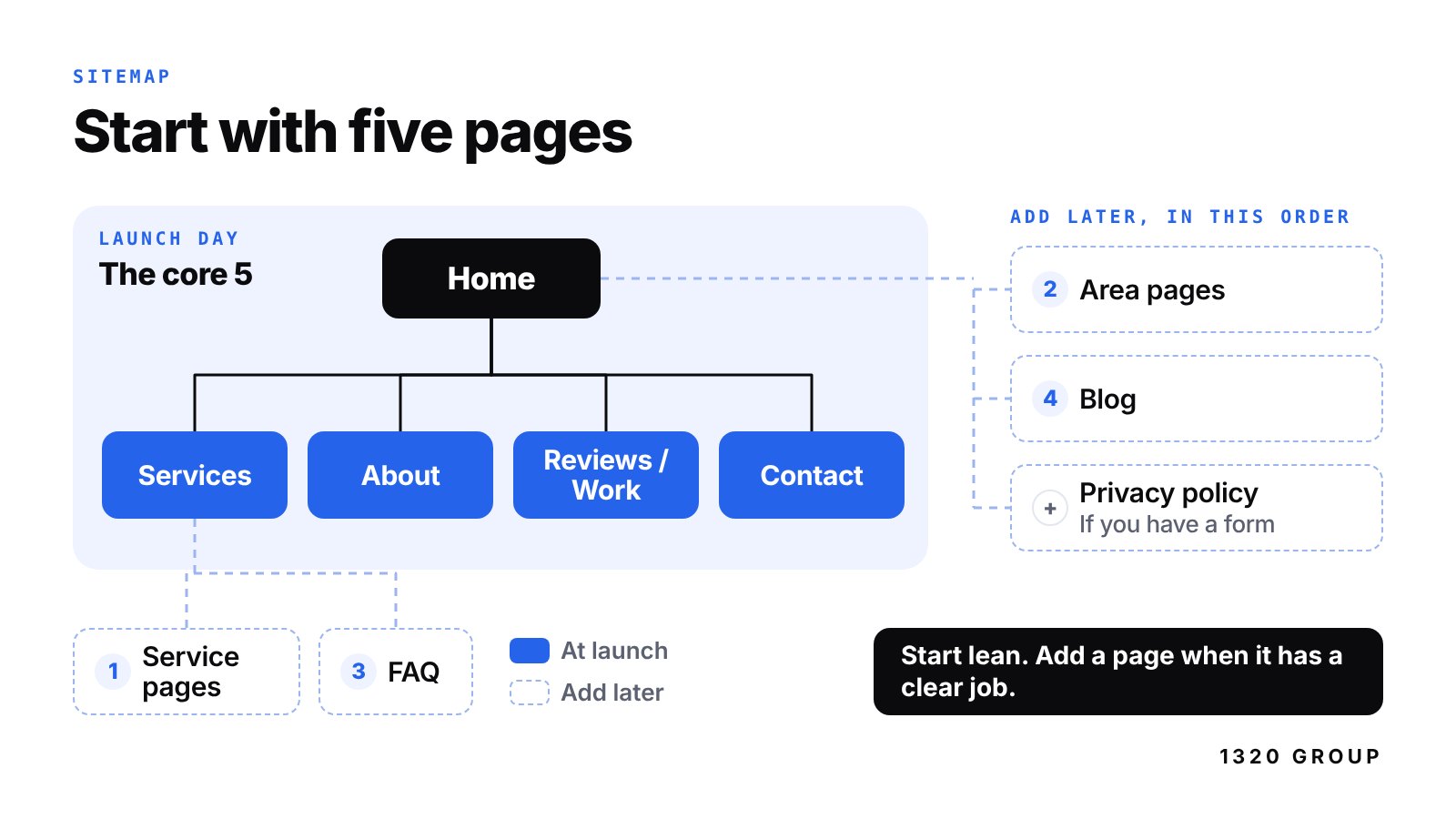
Most small business websites need five pages: Home, Services, About, Reviews (or Work), and Contact. That covers what almost every visitor is trying to figure out. What do you do? Are you any good? Who are you? How do I reach you?
Everything else is optional until you have a reason for it. Separate service pages, town pages, an FAQ, pricing, a blog, a careers page and a privacy policy all have a job. But a clear, fast five-page site will beat a twenty-page site padded with filler every time.
Below is what belongs on each core page, a checklist for each one, and a plain way to decide when it's time to add more.
The short answer: five core pages
Visitors behave in a pretty predictable way. They land on your home page or a service page from Google, skim for a few seconds, check whether other people trust you, and then either call or leave. Five pages line up with those steps.
| Page | Purpose | Must-haves |
|---|---|---|
| Home | Say what you do and where, in about five seconds | Plain headline with your service and area, call or quote button, short proof, links to services |
| Services | Help people see if you do the thing they need | Each service named plainly, who it's for, what's included, how pricing works, a next step |
| About | Show there are real, accountable people behind the business | Who you are, how long you've been at it, real photos, licenses or insurance if relevant |
| Reviews or Work | Prove the work is good | Real reviews with first names, project photos, a link to your Google reviews |
| Contact | Make reaching you effortless | Tap-to-call phone, short form, email, hours, service area, what happens after they reach out |
This is also why our $1,320 flat website covers up to five pages. It isn't a random number. For most local businesses, five well-built pages is the right size for launch day.
What goes on each core page
Home page
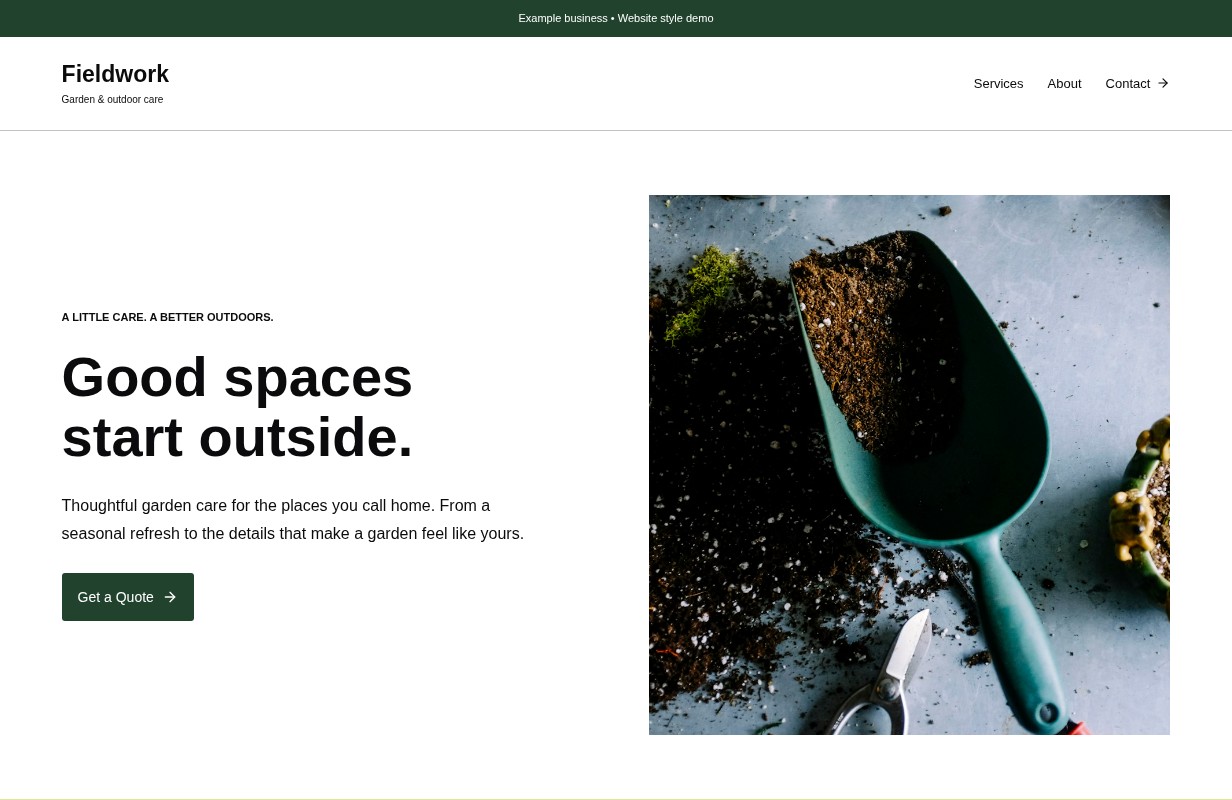
Your home page is a front door, not a brochure. The top of the page should answer three things without scrolling: what you do, where you do it, and how to get in touch. "Residential Roofing in Sioux City and South Sioux City" beats "Quality You Can Trust" every time.
Below that, give a short list of your main services with links, a few reviews, and one more call to action near the bottom.
Your checklist
- Headline names your service and your area
- Phone number and a main button visible without scrolling
- Short list of services, each linking to more detail
- Two or three real reviews
- One real photo of your work, team or place
- A second call to action near the bottom
Services page
This is where people decide if you do what they need. List each service in plain words a customer would use. Say "furnace repair," not "climate comfort solutions." For each one, give a few lines on what's included and who it's for.
You don't have to publish exact prices. But saying how pricing works ("free estimates," "most jobs run $150-$500," "priced by square foot") cuts down on calls from people who were never a fit.
Your checklist
- Every service named the way customers say it
- What's included and who it's for
- How pricing works, or a starting price if you're comfortable sharing
- Photos of that type of work where you have them
- A clear next step: call, request a quote, or book
About page
People hire people. The About page is where a visitor checks that you're real, local and accountable. Keep it short and specific. How long you've been doing this, the area you serve, what you're known for, and a real photo. A phone photo of you next to the truck is better than a stock photo of strangers shaking hands.
Your checklist
- How long you've been in business
- Your service area in plain words
- Real photos of you, your team or your space
- Licenses, insurance or certifications if your trade has them
- One or two sentences on how you work with customers
Reviews or Work page
This page does the convincing. For trades and home services, show project photos with a line about each job. For shops, salons and restaurants, lean on reviews. Use real reviews with first names and, if you can, the month they were left. Then link to your Google reviews so people can see the full picture. If you need more of them, we wrote a guide on how to get more Google reviews without being pushy.
Your checklist
- Real reviews with first names (with permission when you copy them over)
- Before and after or finished-project photos
- A short caption for each project: what, where, roughly when
- A link to your Google reviews
- A call to action at the bottom
Contact page
Make this the easiest page on the site. On a phone, the number should be tap-to-call. The form should ask only what you need to call someone back: name, phone or email, and a short message. Every extra field loses people.
Tell them what happens next. "We call back within one business day" is reassuring and sets expectations.
Your checklist
- Tap-to-call phone number
- A short form with three or four fields
- Email address and business hours
- Service area or address (only if customers come to you)
- What happens after they reach out
When to add separate service pages
One Services page is fine to start. Split a service onto its own page when any of these are true:
- People search for it on its own. Someone searching "water heater install" isn't searching "plumbing." A dedicated page has a much better shot at showing up.
- It has its own customer. Commercial snow plowing and residential driveways are bought by different people for different reasons.
- It brings in real money. Your best earner deserves its own page with its own photos, FAQ and call to action.
- You can write a few hundred useful words about it. If you can't, it doesn't need its own page yet.
A good service page answers what the service is, what it costs or how it's priced, how long it takes, what areas you cover, and what to do next.
Area pages: helpful or spam?
Area pages target searches like "lawn care Le Mars" or "web design Sioux Falls." Done right, they help. Done lazily, they hurt.
The lazy version is twenty copies of the same page with the town name swapped. Google calls these doorway pages and doesn't like them. Customers don't either.
The useful version only exists for towns you actually serve, and it says something specific. Which parts of town you cover. Whether there's a travel fee. Jobs you've done there. Anything that's different about working there. A business that serves both sides of the river, Sioux City and South Sioux City, might have real differences worth explaining, since they're in different states.
If you can't write something true and specific about a town, list it on your Contact or About page instead and leave it at that.
Questions?
Let’s talk.Talk through your website, your goals and what comes next. No pressure.
Book a free call
Optional pages and when they earn a spot
An FAQ page
Add an FAQ when you notice you answer the same questions on the phone every week. Do you do free estimates? Are you insured? How far out are you booking? Writing those down saves you time and helps Google understand what you do. It can start as a section at the bottom of your Services page and become its own page later.
Pricing
A pricing page makes sense when your prices are fairly standard: packages, memberships, menus, flat-rate services. If every job is custom, a "how our pricing works" section is usually better than a page full of "call for quote."
Blog
A blog only helps if you'll actually write for it. One genuinely useful post a month beats ten thin ones written in a burst and abandoned. Good topics are the questions customers ask you before they buy. If you won't keep it up, skip it. An empty blog with one post from two years ago makes a business look closed.
Careers
If you're always hiring, a careers page saves you from posting the same details over and over. List open roles, pay range if you can, what the work is like, and how to apply. Seasonal businesses, restaurants and trades get a lot of use out of this one.
Privacy policy and other legal pages
If your site has a contact form, uses analytics, or runs ad tracking, you should have a privacy policy. It's usually a short page linked in the footer that says what information you collect and what you do with it. Rules vary by state and by what you collect, so if you handle anything sensitive, like health or financial details, talk to a lawyer. If you sell online, you'll also want terms of sale and a return policy.
This isn't legal advice, just the common baseline. Most small service businesses need a simple privacy policy and not much more.
How to fit it into five pages (and grow later)
Five pages goes further than people think, because one page can hold more than one job:
- Put your FAQ at the bottom of the Services page.
- Show your best reviews on the home page, and the rest on a Reviews or Work page.
- List the towns you serve on the Contact page until you're ready for real area pages.
- Put the privacy policy in the footer, where people expect to find it.
Our $1,320 build includes up to five pages, mobile-first design, modern SEO, a contact form, domain connection and two rounds of revisions. If you clearly need more than five pages at launch, tell us on a free 20-minute call and we'll quote it honestly. For the full cost picture, see how much a website costs in Sioux City in 2026.
After launch, a site should grow in this order for most businesses:
1. Separate pages for your top one or two services. 2. Area pages for the towns that matter most, written with real detail. 3. An FAQ page once you have more questions than fit on Services. 4. A blog if you have the time and the topics.
If you're on our Hosting & Care plan ($32 a month or $320 a year), small updates like new reviews, photo swaps and FAQ edits fit in the hour of updates included each month. A brand-new page with real content is usually a bigger change, and we quote that separately. More on what that plan covers in website hosting and care explained.
Pages you can skip
Some pages show up on small business sites out of habit, not because anyone reads them:
- A separate Mission and Vision page. Put one honest sentence on your About page instead.
- Both a Testimonials page and a Reviews page. Pick one.
- A News page with two posts from years ago.
- A Links or Resources page pointing to other businesses.
- A photo gallery with hundreds of unsorted images. Twenty good, captioned photos beat two hundred random ones.
- Separate Privacy, Terms, Disclaimer and Cookie pages when you only collect a name and phone number. One short privacy policy usually covers it.
Every page you add is a page you have to keep accurate. Start lean, then add pages when they have a clear job.
Cover photo: Web Design Planning by Davmi Pics, licensed CC BY 2.0.
FAQ
How many pages should a small business website have?
For most local businesses, five is the right number to launch: Home, Services, About, Reviews or Work, and Contact. That covers what customers need to decide. You can add service pages, area pages and an FAQ later as you learn what people search for.
Is a one-page website enough?
It can be, for a very simple business with one service and a small area. The downside is that one page can only rank for so many searches. If you offer several services or serve several towns, a few focused pages will usually do better on Google.
Do I need a privacy policy on a small business website?
If your site collects anything through a form or uses analytics, you should have one. For most small service businesses it's a short page in the footer explaining what you collect and why. If you handle sensitive information, get advice from a lawyer.
Should every service have its own page?
No. Give a service its own page when people search for it separately, when it has a different kind of customer, or when it's a big part of your income. Smaller services can share a single Services page just fine.
Do I need a blog to rank on Google?
No. Plenty of local businesses rank well with strong service pages, a good Google Business Profile and steady reviews. A blog helps when you write useful posts on a regular schedule. If you won't keep it up, put that effort into your service pages and reviews instead.
A $1,320 website. Done for you.
Up to 5 pages, mobile-first
Modern SEO and launch
One flat project fee
Get a $1,320 website