
Do I Need a Website If I Have a Facebook Page?
If you're just starting out, a Facebook page is fine. It's free, it takes an afternoon to set up, and a lot of your customers are probably already on it. Plenty of good Siouxland businesses got their first hundred customers that way.
But if Facebook is your only home online, you're renting. Facebook decides who sees your posts. It can lock you out of your own page with little warning. People who don't use Facebook can't see much of it. And when someone searches Google for "roofer Sioux City" or "bakery Sioux Falls," a Facebook page usually isn't what wins.
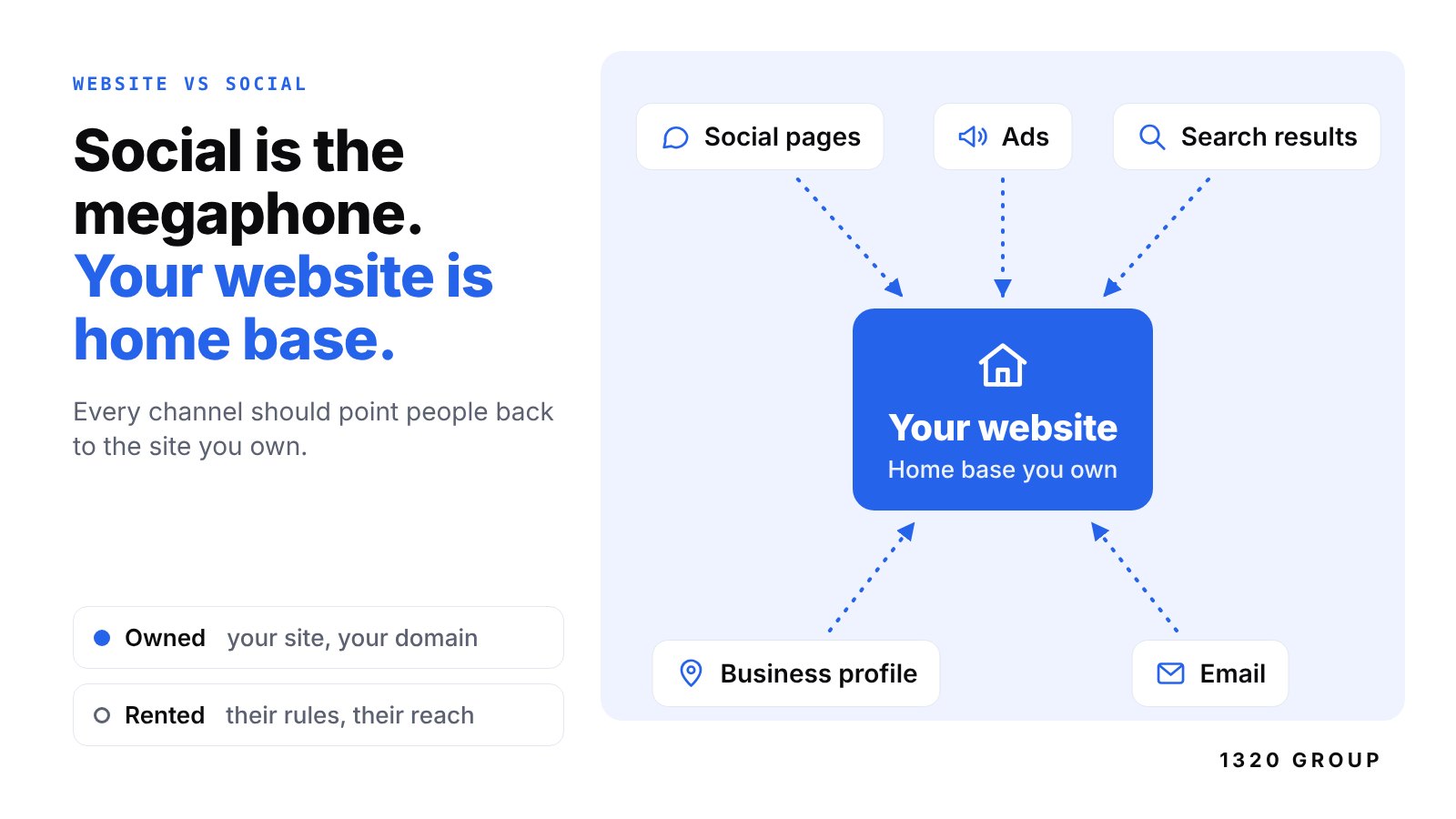
The setup that works for most local businesses is both: a simple website as your home base, and Facebook as your megaphone. Here's how to tell which one you need right now, and how to make them work together.
When a Facebook page alone is enough
Let's be honest first. Not every business needs a website today. A Facebook page can be enough if:
- You're testing an idea. A side hustle, a new product, a weekend booth. Prove people want it before you spend money on a site.
- Your work comes almost entirely from word of mouth and you're already as busy as you want to be.
- Your business lives on daily updates, like a food truck posting where it'll be today, and your regulars follow you there.
- You're in a small community where everyone you sell to is on Facebook and knows how to find you.
- You don't want more customers right now. A website is a tool for getting found. If you don't need to be found, it can wait.
If that's you, put your effort into a great Facebook page and a complete Google Business Profile. The Business Profile is free, and it's what shows up on Google Maps. For a lot of very small businesses, that pair covers the basics.
When you start wanting more calls, more bookings, or customers outside your current circle, that's when Facebook alone starts holding you back.
The risks of renting your online presence
Reach is decided by the algorithm
When you post on your business page, only a portion of your followers see it, and Facebook decides how many. Organic reach for business pages has dropped a lot over the years, and Facebook has every reason to nudge you toward paying to boost posts. You can do everything right and still have a post go nowhere.
A website doesn't have an algorithm between you and the visitor. If someone types your address or finds you on Google, they see everything you put there.
Account lockouts and hacks
This is the one that hurts. Business pages get hacked, admin accounts get compromised, and pages get disabled by automated systems for reasons that are hard to figure out. Getting a real person at Facebook to fix it can take weeks, if it happens at all. If your whole business lives on that page, a lockout means your reviews, photos, messages and customer history are all out of reach until it's sorted.
A website on your own domain is yours. If something goes wrong with your hosting, you can move it. If your Facebook gets locked, your website, phone number and email still work.
Not everyone has (or uses) Facebook
Plenty of people have left Facebook, never joined, or only check it once in a while. Younger customers often spend their time elsewhere. Office managers and property managers looking for a vendor at work may not want to browse Facebook at all. Visitors who aren't logged in can hit sign-in pop-ups that make your page hard to read. Every one of those people is a customer who can't easily check you out.
Weak Google visibility for "service + town" searches
Lots of local customers start on Google. They type the service and the town: "furnace repair Le Mars," "dog groomer Sioux Falls," "wedding photographer Vermillion." Google tends to show Business Profiles in the map results and websites below them. Facebook pages show up sometimes, mostly when someone searches your exact business name.
A website gives Google pages to match to those searches: a page for each main service, your service area, your hours, your reviews. Facebook just isn't built to rank for that.
You don't control layout or lead capture
On Facebook, your business looks like every other business. You can't decide what visitors see first, you can't put a quote form exactly where you want it, and your best review might be buried under last month's post. Messages come in through Messenger, mixed in with everything else.
On your own site, you choose the headline, the photos, the order of things, and the call to action. You can add a booking link, a quote form or a menu, and the leads come straight to your email or phone.
Facebook vs website: side by side
| Facebook page | Your own website | |
|---|---|---|
| Cost to start | Free | One-time build, plus hosting and a domain |
| Who owns it | You | |
| Who can see it | Best for logged-in Facebook users | Anyone with a browser |
| Shows up on Google for "service + town" | Rarely | Yes, with decent pages and modern SEO |
| Control of layout and first impression | Very little | Full |
| Lead capture | Messenger and comments | Your forms, booking links, tap-to-call |
| Risk of lockout | Real, with limited support | Low, and you can move hosts |
| Best for | Updates, photos, events, community | Being found, building trust, getting calls |
Neither one is better at everything. That's why the answer for most businesses is both.
Questions?
Let’s talk.Talk through your website, your goals and what comes next. No pressure.
Book a free call
Best of both: website as home base, social as megaphone
Think of it this way. Your website is your shop. Facebook, Instagram and your Google Business Profile are the signs pointing people to it.
Here's how the pieces fit together:
- Your website holds the facts. Services, prices or how pricing works, hours, service area, menu, reviews, contact info. This is the one place that's always current.
- Facebook carries the news. New work photos, specials, closures, events, a new hire, the patio opening for the season. Share and link back to your site when it makes sense.
- Your Google Business Profile ties them together. It shows up on Maps, collects reviews, and links straight to your website.
When a customer sees your post, they click through to your site for the details. When a stranger finds you on Google, they land on your site, see you're legit, and maybe follow you on Facebook for updates. Each one helps the other.
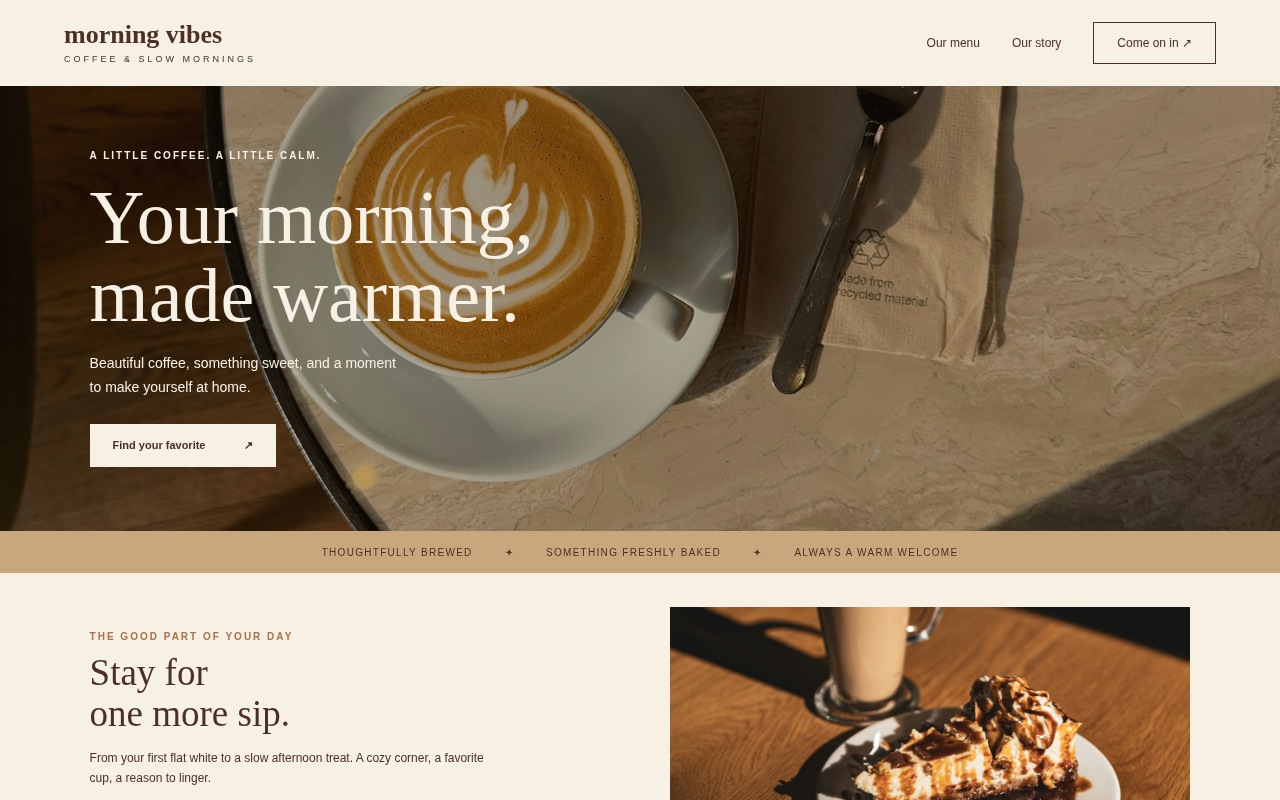
A cafe on Historic 4th Street, for example, might post today's special on Facebook and Instagram, while the website keeps the full menu, hours, catering info and a map. Customers get the daily buzz on social and the reliable details on the site.
What a "home base" website actually needs
A home base doesn't need to be big. For most local businesses, five pages is plenty to start: Home, Services, About, Reviews or Work, and Contact. We break down what goes on each one in what pages a small business website needs.
What it does need:
- Your own domain name, registered in your name, like yourbusiness.com. Our guide on how to choose a domain name covers how to pick one and keep it yours.
- A mobile-first layout, because most local visitors are on a phone.
- A tap-to-call number and a short contact form.
- Clear service and area info, so Google can match you to local searches.
- Real photos and real reviews.
- Links to your Facebook and other social accounts, so people can follow along.
You can build this yourself on a site builder, and for some businesses that's the right call. We compare that route honestly in Squarespace or Wix vs a custom website. If you'd rather have it done for you, our flat $1,320 website covers up to five pages, mobile-first design, modern SEO, a contact form, domain connection and two rounds of revisions. Order it at /custom or talk it over on a free 20-minute call first.
How to go from Facebook-only to a website without losing anything
You don't have to abandon Facebook. You're adding a home base, not moving out. Here's the order we'd do it in:
1. Register your domain in your own name, with your own account. 2. Gather what's already working on Facebook. Your best photos, your most common questions, and the reviews people have left you. 3. Build the core pages with that material. Your Facebook page is a great first draft. 4. Update your Google Business Profile so the website field points to your new site. 5. Update your Facebook page. Add the site to your page info and set the action button to send people to your site, or to call you. 6. Pin a post announcing the new site. 7. Keep posting on Facebook like you always have, and link to your site when a post needs more detail.
Your checklist
- Domain registered in your name with auto-renew on
- Best Facebook photos and reviews saved somewhere safe
- Home, Services, About, Reviews and Contact pages live
- Google Business Profile website link updated
- Facebook page info and action button point to your site
- A pinned post announcing the website
- Social links on your website
- Two-factor login turned on for your Facebook admin account
That last one matters whether you build a website or not. Most page lockouts start with a hacked personal account.
Cover photo: Apple applications apps by homegets.com, licensed CC BY 2.0.
FAQ
Is a Facebook page enough for a small business?
It can be, especially when you're just starting, testing an idea, or already have all the word-of-mouth work you can handle. Once you want new customers who don't already know you, a website helps a lot more, mainly because it shows up better on Google.
Will a website replace my Facebook page?
No, and it shouldn't. Keep using Facebook for updates, photos and community. The website is where the reliable details live and where people go to check you out before they call. The two work best together.
Does a Facebook page help with Google rankings?
A little, mostly for searches of your exact business name. For searches like "plumber Sioux City," Google usually shows Business Profiles and websites. A website with clear service and location pages gives you a much better shot at those searches.
What happens to my business if my Facebook page gets hacked?
You may lose access to your page, messages, reviews and followers until Facebook restores it, which can take a while. Having a website, your own domain and your own email means customers can still find and reach you while you sort it out. Turn on two-factor login for every admin on the page.
How much does it cost to add a website if I already have Facebook?
It ranges a lot, from a DIY builder subscription to agency projects that cost many thousands. Our done-for-you website is $1,320 flat for up to five pages, with optional hosting and care at $32 a month or $320 a year. Hosting and a domain are the main ongoing costs either way.
A $1,320 website. Done for you.
Up to 5 pages, mobile-first
Modern SEO and launch
One flat project fee
Get a $1,320 website